For guitarists and bassists
Be the missing part of any song.
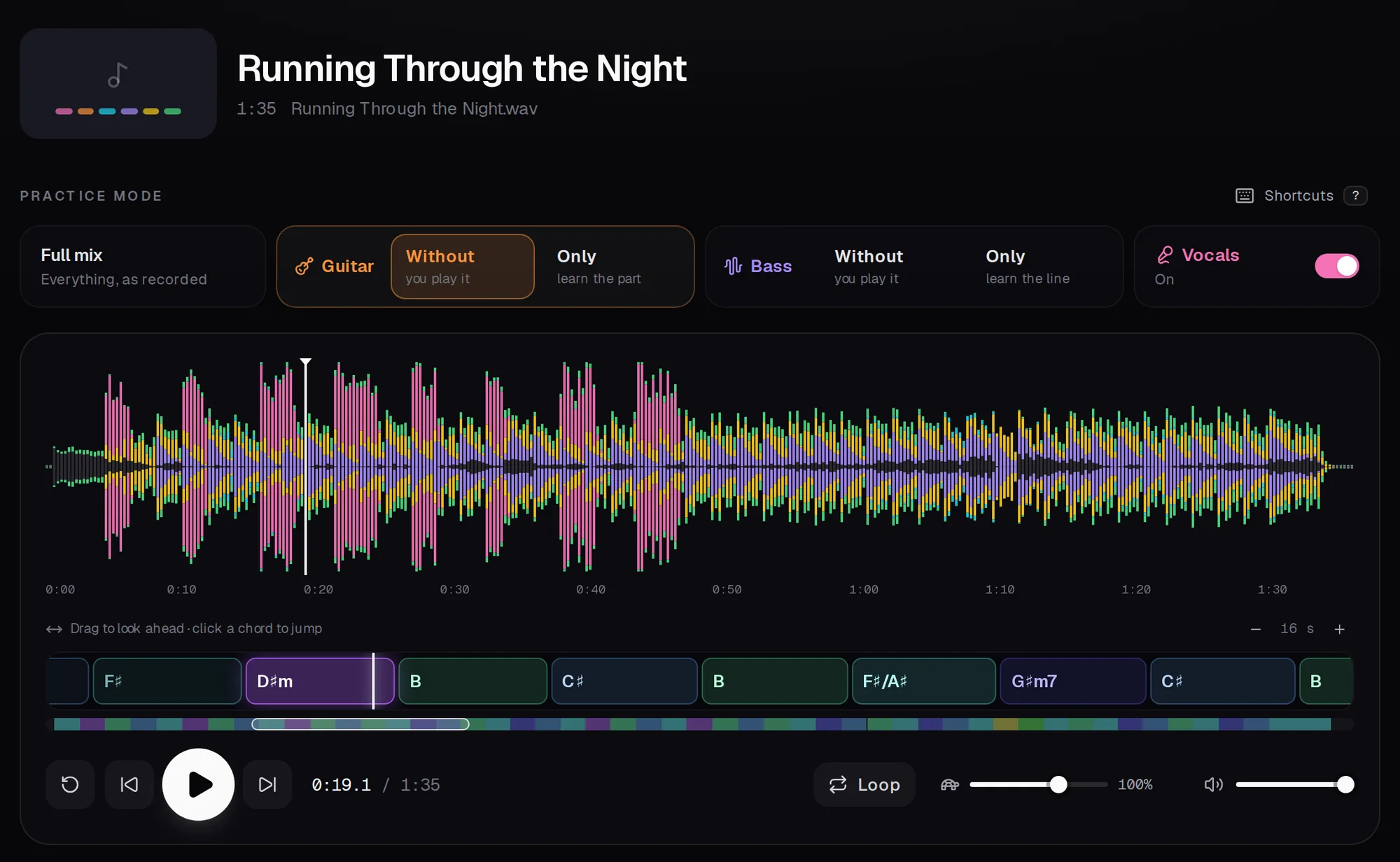
Paste a YouTube link or drop in a song. PlayAlong takes it apart into guitar, bass, drums, vocals and keys, and writes out the chords for guitar and bass and the lyrics. All done by AI, free, right on your computer.
- Six instruments, each on its own
- Chords for guitar and bass
- Lyrics in time
- Free and private
What it does
Everything you need to play along, worked out by AI
Bring any song
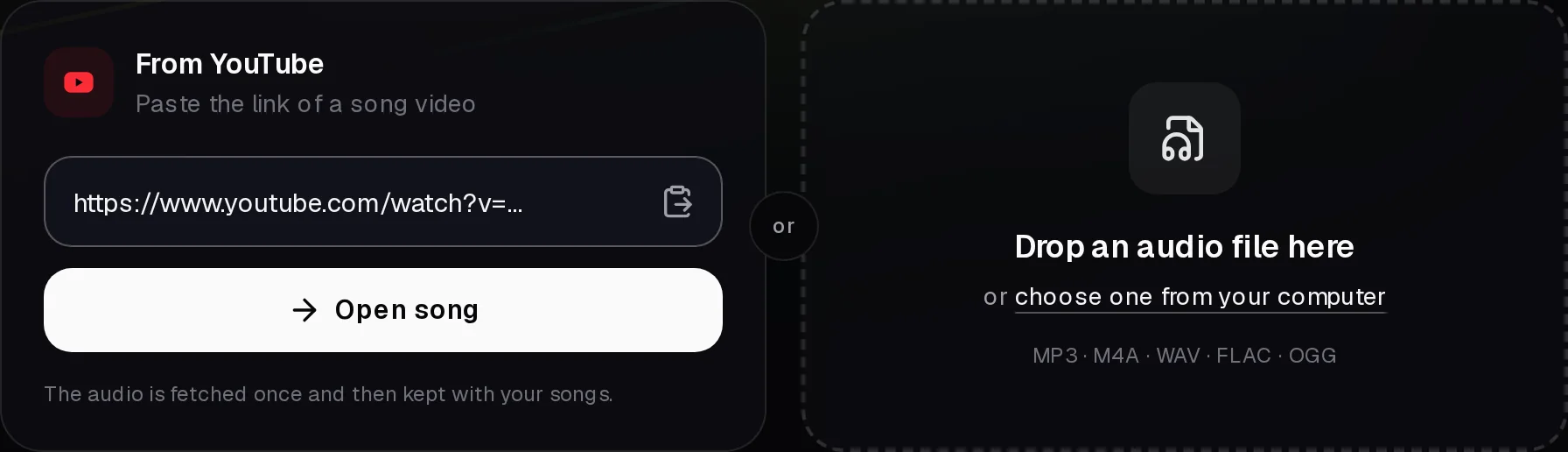
Paste a YouTube link or drop in a file
Copy the link of a song video, or drag an audio file from your computer onto the page. That's all PlayAlong needs.
- YouTube links
- MP3, M4A, WAV, FLAC and OGG files, by drag and drop
- Your songs are kept, so they open instantly next time
Six instruments
Switch the guitar or bass off and take its place
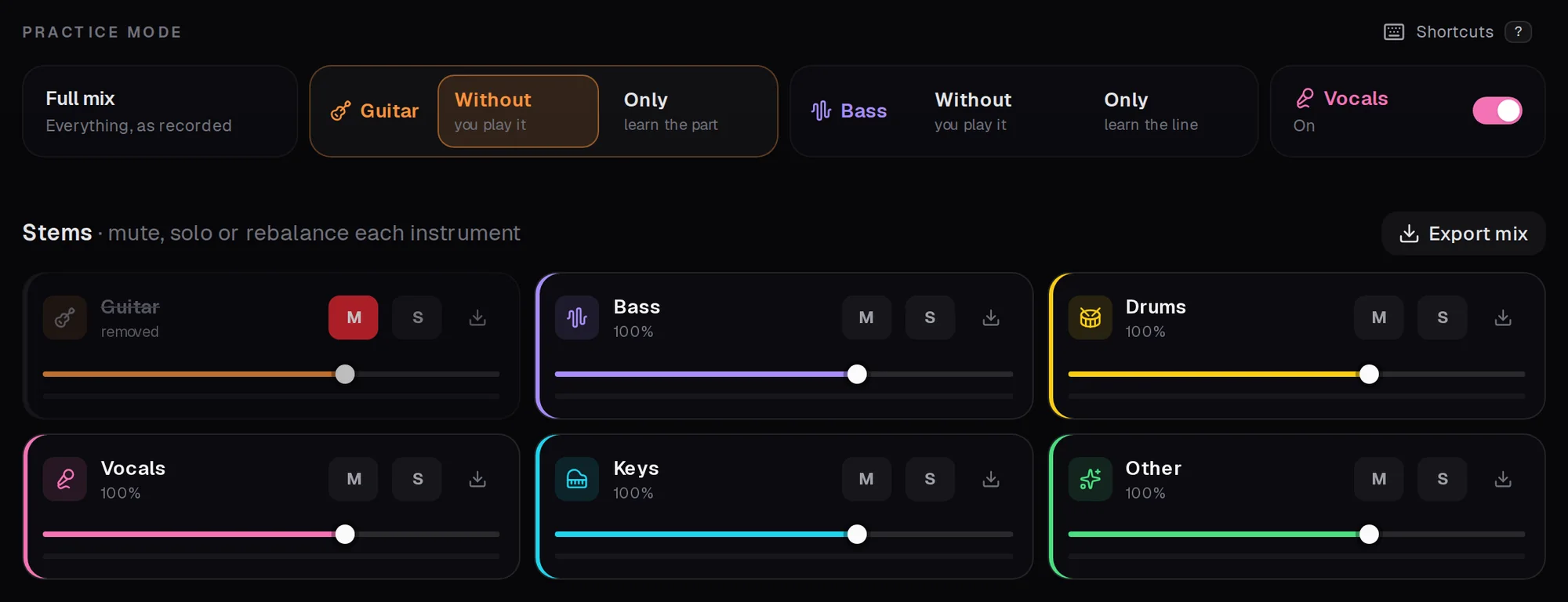
The AI takes every song apart into guitar, bass, drums, vocals, keys and the rest. One click mutes your instrument, or plays it alone so you can learn the part.
- Without or only: for guitar and for bass, vocals on or off
- Every instrument with its own fader, mute and solo
- Download any instrument, or the backing track, as audio
Chords for guitar and bass
The chords, worked out for you
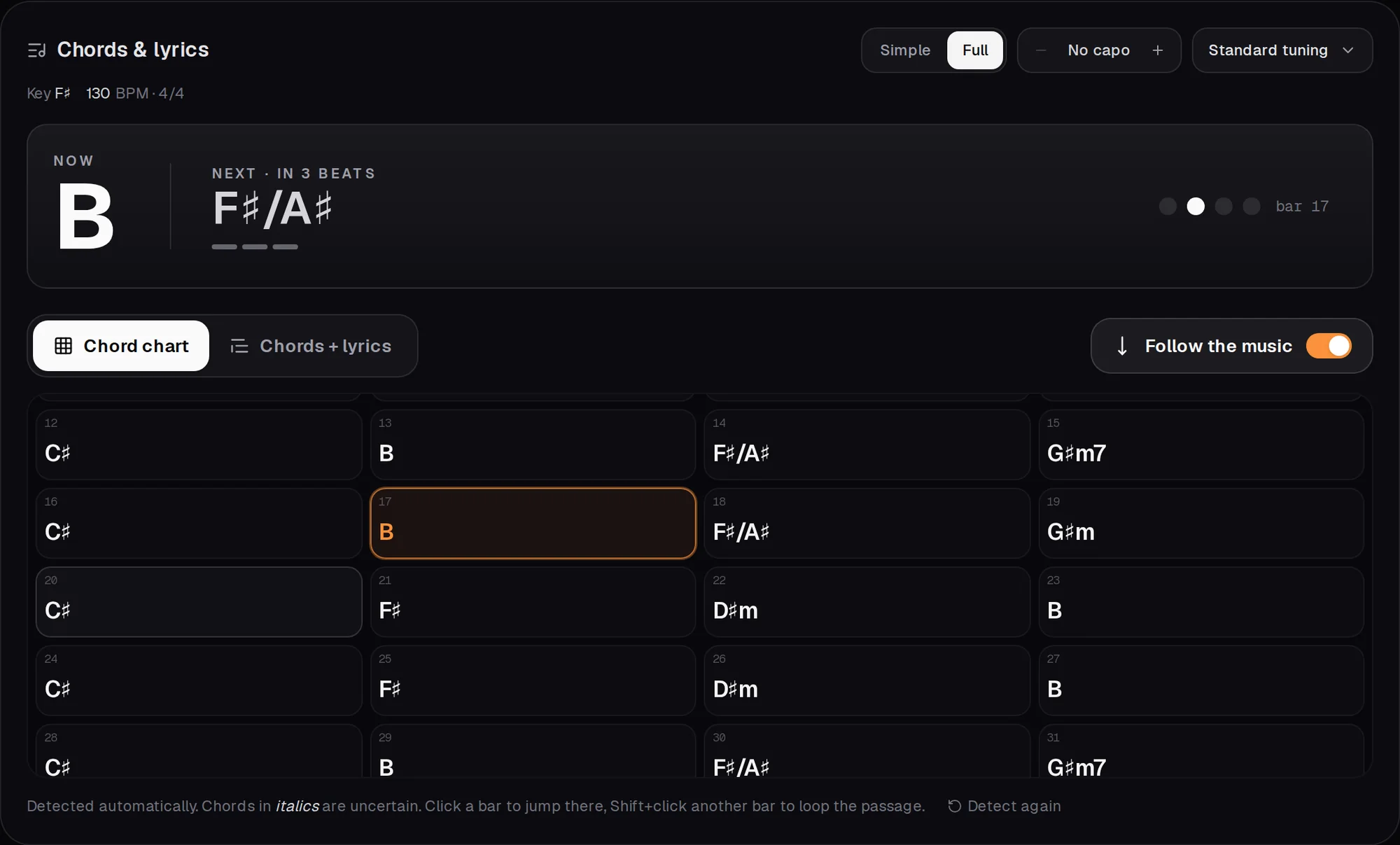
PlayAlong listens to the song and writes out the chords bar by bar, with the key and tempo. Big for what to play now and next, with a beat counter, and as a chart of the whole song.
- Capo and half step down tuning: the shapes change with it
- Simple chords to start, full chords when you want them
- Unsure chords are marked, so you know where to listen
Lyrics
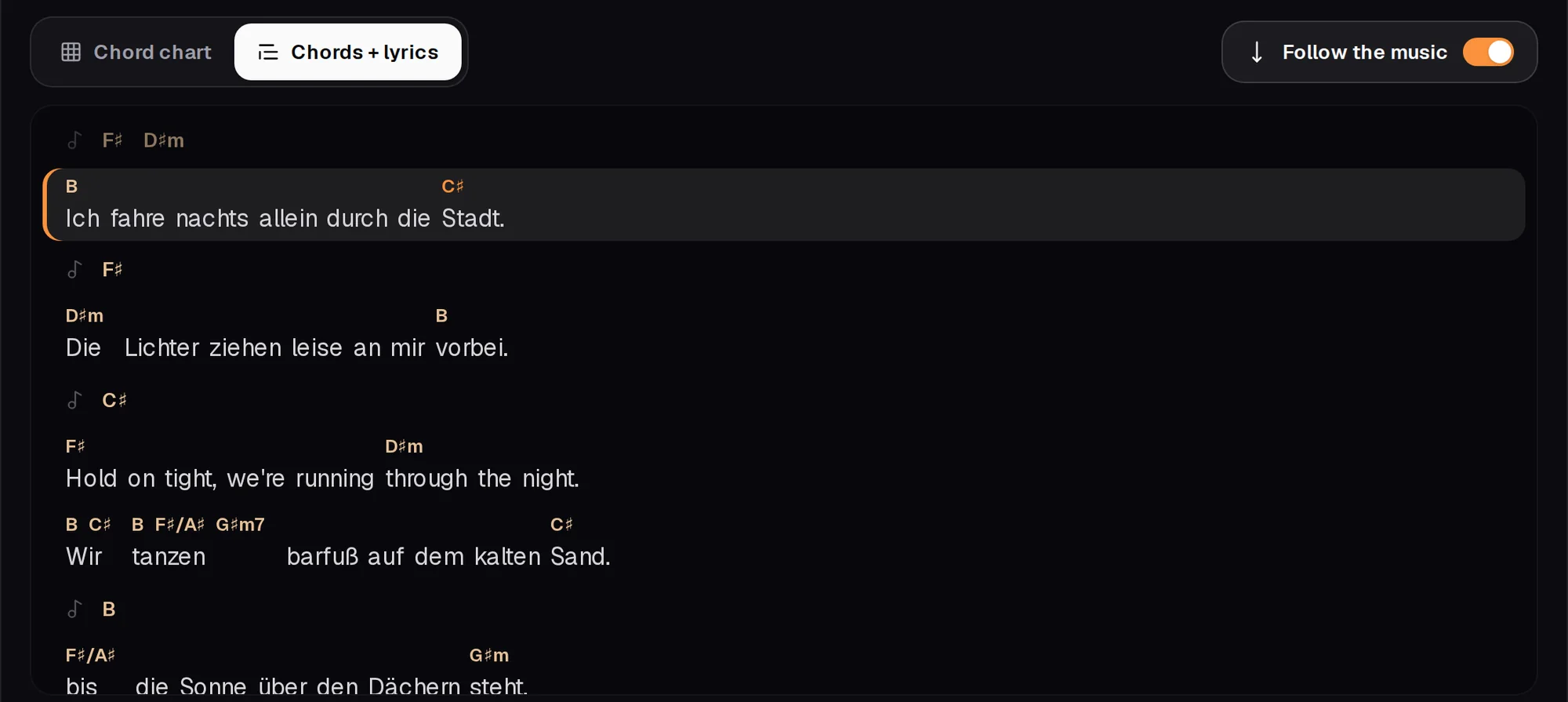
The lyrics, with every chord on its word
Whisper, the speech AI, writes down what's sung, and each chord sits right above the word where it changes. The sheet scrolls with the music, like a teleprompter.
- English, German and many more, even mixed in one song
- Click a line to jump there, Shift + click to loop
- Unsure words are underlined
Free and private
All of it runs on your own computer
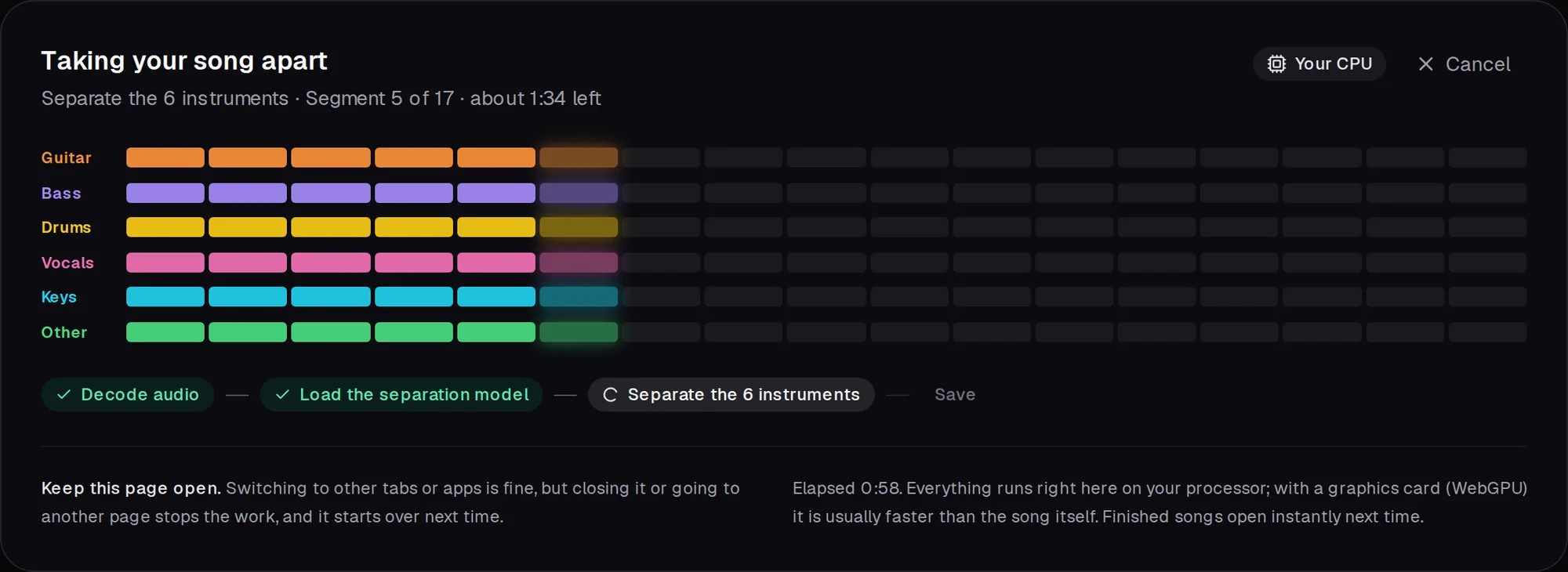
No upload, no account, no subscription. The AI models run inside your browser, on the graphics card if there is one. A song takes a few minutes the first time and opens instantly after that.
- Nothing leaves your computer
- Fast with a graphics card (WebGPU), and it works without one too
- As many songs as you like
Slow it down
Practise at half speed, without the pitch changing.
Loop the hard bits
Drag over the waveform and it repeats seamlessly.
Your backing track
Save the mix without your part, e.g. for a jam.
Sync your songs
Keep them in a folder, e.g. in OneDrive or Dropbox.
Keyboard shortcuts
Play, seek, loop and switch parts without the mouse.
Any song
Rock, pop, singer-songwriter: whatever you want to play.
Why it's free
Your computer is the studio.
Stem splitters usually run on rented cloud GPUs, so they charge per song or per month. PlayAlong sends the AI to your browser instead and lets your own graphics card or processor do the work. That costs nobody anything, so it's free, and your music stays on your device.
Other stem splittersnot PlayAlong
- Upload
- Wait in a queue
- Pay for the GPU time
PlayAlong
The song splits right where it is. No upload, no queue, no bill.
Downloaded once
The AI models (about 125 MB, plus 1 GB for the lyrics) come once and are kept by your browser.
Speed depends on your device
With a recent graphics card a song takes about as long as it plays. On a processor it can take several minutes; lyrics need a minute or two more.
Private by design
Your audio is never uploaded and you don't need an account.
Get PlayAlong
Run it on your own computer. Free, in four lines.
PlayAlong runs locally: your computer serves the app and does the AI work, so there's no account, no upload and no limit. Paste YouTube links or drop audio files, and keep your songs in a folder of your choice.
- 1
Install Node.js 22 or newer
From nodejs.org (the LTS version), and git if you don't have it (or download the ZIP instead). Nothing else: no Python, no account. - 2
Open a terminal and run
Windows: Terminal or PowerShell from the Start menu. Mac: Terminal (in Utilities). Linux: any terminal.Terminal$ git clone https://github.com/simonroedig/PlayAlong.git$ cd PlayAlong$ npm install$ npm run dev - 3
Open localhost:3000
In Chrome or Edge, athttp://localhost:3000. The first start downloads the AI models and the YouTube helper by itself (about 700 MB, once); after that it starts right away.To stop it, press Ctrl + C in the terminal. Next time, open a terminal in the PlayAlong folder and runnpm run devagain.
Works on Windows, macOS and Linux, with the same steps. A graphics card makes it fast (Chrome or Edge use it through WebGPU); without one it runs on the processor and takes a few minutes per song.